All posts by Tidbytez

How to convert a Markdown file to Word document with PowerShell: A One-Line Solution

Overview

Need to convert Markdown files to Word documents quickly and efficiently? 

This one line PowerShell leverages the Word COM object to transform your .md files into professionally formatted .docx documents – no external tools or dependencies required.

The Solution

This script provides a complete Markdown-to-Word converter that handles all common formatting elements. Simply update the file path, paste into PowerShell, and execute.

$mdPath = "C:\Users\Documents\report.md"; if (-not (Test-Path $mdPath)) { Write-Error "❌ Markdown file not found at: $mdPath"; return }; $docPath = [System.IO.Path]::ChangeExtension($mdPath, ".docx"); function Process-InlineFormatting { param($range, $text); $position = 0; $segments = @(); while ($position -lt $text.Length) { if ($text.Substring($position) -match '^\*\*\*(.+?)\*\*\*') { $segments += @{Text = $matches[1]; Bold = $true; Italic = $true}; $position += $matches[0].Length } elseif ($text.Substring($position) -match '^\*\*(.+?)\*\*') { $segments += @{Text = $matches[1]; Bold = $true; Italic = $false}; $position += $matches[0].Length } elseif ($text.Substring($position) -match '^\*(.+?)\*') { $segments += @{Text = $matches[1]; Bold = $false; Italic = $true}; $position += $matches[0].Length } else { $nextAsterisk = $text.IndexOf('*', $position); if ($nextAsterisk -eq -1) { $segments += @{Text = $text.Substring($position); Bold = $false; Italic = $false}; break } else { $segments += @{Text = $text.Substring($position, $nextAsterisk - $position); Bold = $false; Italic = $false}; $position = $nextAsterisk } } }; foreach ($segment in $segments) { if ($segment.Text) { $range.Text = $segment.Text; $range.Font.Bold = $segment.Bold; $range.Font.Italic = $segment.Italic; $range.Collapse(0) } } }; try { $word = New-Object -ComObject Word.Application; $word.Visible = $false; $doc = $word.Documents.Add(); $lines = Get-Content $mdPath -Encoding UTF8; $wdCollapseEnd = 0; $wdBorderBottom = 4; $wdLineStyleSingle = 1; $wdColorBlack = 0; $wdLineWidth150pt = 6; foreach ($line in $lines) { $range = $doc.Content; $range.Collapse($wdCollapseEnd); if ($line -match '^\s*$') { $range.Text = "`r"; $range.Style = "Normal"; continue }; if ($line -match '^\s*[-]{3,}\s*$') { $range.Text = "`r"; $range.Style = "Normal"; $range.ParagraphFormat.Borders.Item($wdBorderBottom).LineStyle = $wdLineStyleSingle; $range.ParagraphFormat.Borders.Item($wdBorderBottom).Color = $wdColorBlack; $range.ParagraphFormat.Borders.Item($wdBorderBottom).LineWidth = $wdLineWidth150pt } elseif ($line -match '^(#{1,6})\s+(.+)') { $headerLevel = $matches[1].Length; $headerText = $matches[2]; Process-InlineFormatting -range $range -text $headerText; $range.Style = "Heading $headerLevel"; $range.Collapse($wdCollapseEnd); $range.Text = "`r" } elseif ($line -match '^\s*[-*+]\s+(.+)') { $listText = $matches[1]; Process-InlineFormatting -range $range -text $listText; $range.Style = "List Bullet"; $range.Collapse($wdCollapseEnd); $range.Text = "`r" } elseif ($line -match '^\s*\d+\.\s+(.+)') { $listText = $matches[1]; Process-InlineFormatting -range $range -text $listText; $range.Style = "List Number"; $range.Collapse($wdCollapseEnd); $range.Text = "`r" } else { Process-InlineFormatting -range $range -text $line; $range.Style = "Normal"; $range.Collapse($wdCollapseEnd); $range.Text = "`r" } }; $doc.SaveAs([ref] $docPath); $doc.Close(); $word.Quit(); [System.Runtime.Interopservices.Marshal]::ReleaseComObject($word) | Out-Null; [System.GC]::Collect(); [System.GC]::WaitForPendingFinalizers(); Write-Host "✅ Markdown converted to Word document at $docPath" } catch { Write-Error "❌ An error occurred: $_"; if ($doc) { $doc.Close($false) }; if ($word) { $word.Quit(); [System.Runtime.Interopservices.Marshal]::ReleaseComObject($word) | Out-Null } }

How to Use

Step 1: Update the file path at the beginning of the script

$mdPath = "C:\Users\Documents\report.md"

Step 2: Copy the entire one-line script above

Step 3: Paste into PowerShell and press Enter

Step 4: Your Word document will be created in the same directory with a .docx extension

Supported Markdown Features

The script converts the following Markdown elements to their Word equivalents:

Headers

markdownDownloadCopy code# Heading 1
## Heading 2
### Heading 3

Converts to Word’s built-in Heading 1, 2, 3 styles (up to Heading 6)

Text Formatting

  • Bold: **text** → text
  • Italic: *text* → text
  • Bold + Italic: ***text*** → text

Lists

Bullet Lists:

markdownDownloadCopy code- Item one
* Item two
+ Item three

Numbered Lists:

markdownDownloadCopy code1. First item
2. Second item
3. Third item

Horizontal Rules

markdownDownloadCopy code---

Creates a horizontal line with bottom border formatting

Special Characters

UTF-8 encoding support ensures proper handling of international characters, accents, and special symbols.

How It Works

Inline Formatting Parser

The script includes a custom function that processes inline formatting by:

  1. Parsing text character-by-character
  2. Identifying markdown formatting markers (******)
  3. Extracting the text within markers
  4. Applying appropriate Word formatting (Bold, Italic, or both)
  5. Removing the markdown syntax

Document Processing

The script:

  • Reads the markdown file with UTF-8 encoding
  • Processes each line sequentially
  • Applies regex pattern matching to identify markdown elements
  • Uses Word COM object methods to apply appropriate styles
  • Handles blank lines to preserve document spacing
  • Properly manages Word styles to prevent formatting conflicts

COM Object Management

The script properly initializes and cleans up Word COM objects to prevent memory leaks and ensure smooth execution.

Key Features

✅ No External Dependencies – Uses built-in PowerShell and Word COM automation
✅ UTF-8 Support – Handles international characters correctly
✅ Inline Formatting – Processes bold and italic within any text element
✅ Professional Output – Uses Word’s native styles for consistent formatting
✅ One-Line Execution – Paste and run without saving to a file
✅ Error Handling – Includes try-catch blocks for robust execution
✅ Memory Management – Properly releases COM objects after execution

Use Cases

This script is perfect for:

  • Documentation Automation – Convert markdown documentation to Word format for distribution
  • Report Generation – Transform markdown reports into professional Word documents
  • Content Migration – Batch convert markdown files to Word format
  • Workflow Integration – Incorporate into larger PowerShell automation scripts
  • Quick Conversions – Ad-hoc conversion without installing additional tools

Customization Options

Change Output Location

Modify the $docPath variable to specify a different output location:

$docPath = "C:\Output\CustomName.docx"

Make Word Visible

Set $word.Visible = $true to watch the conversion process in real-time

Adjust Border Styling

Modify the Word constants to customize horizontal rule appearance:

$wdLineWidth150pt = 6  # Change border thickness
$wdColorBlack = 0 # Change border color

Requirements

  • Windows operating system
  • Microsoft Word installed
  • PowerShell 5.1 or later
  • Appropriate permissions to create COM objects

Technical Details

Word COM Constants Used:

  • wdCollapseEnd = 0 – Collapse range to end position
  • wdBorderBottom = 4 – Bottom border identifier
  • wdLineStyleSingle = 1 – Single line style
  • wdColorBlack = 0 – Black color value
  • wdLineWidth150pt = 6 – Border width (1.5pt)

Regex Patterns:

  • Headers: '^(#{1,6})\s+(.+)' – Requires space after #
  • Bullet Lists: '^\s*[-*+]\s+(.+)' – Supports -, *, + markers
  • Numbered Lists: '^\s*\d+\.\s+(.+)' – Matches numbered items
  • Horizontal Rules: '^\s*[-]{3,}\s*$' – Three or more hyphens

Conclusion

This PowerShell one-liner provides a powerful, dependency-free solution for converting Markdown to Word documents. Whether you’re automating documentation workflows or need a quick conversion tool, this script delivers professional results with minimal setup.

Simply update the file path, paste the script, and let PowerShell handle the rest!

How to Connect and Remap Your VOYEE Wireless Switch Controller for Xbox-Style Gameplay on Windows

If you’ve ever plugged a Switch-style controller into your PC and found that the A and B buttons feel reversed, you’re not imagining things. The VOYEE Wireless Switch Controller—while designed for Nintendo Switch—also works on Windows in XInput mode, which mimics an Xbox controller. But the physical button layout still follows Nintendo’s convention, leading to confusion in games where B confirms and A cancels.

Luckily, VOYEE includes a built-in button-swap feature to fix this. Here’s how to connect your controller and remap the buttons for a true Xbox-style experience.

🔗 Step 1: Connect Your VOYEE Controller to Windows via Bluetooth

Before remapping, you’ll need to pair your controller with your PC. VOYEE makes this easy with a quick button combo.

✅ How to Pair:

  1. Enter Pairing Mode
    • Press and hold the X button and the Home button together for 3–4 seconds.
    • The LED lights will begin flashing, indicating the controller is ready to pair.
  2. Connect in Windows Settings
    • Go to Settings > Devices > Bluetooth & other devices.
    • Click Add Bluetooth or other device > Bluetooth.
    • Select the device labeled “Xbox Controller” or similar from the list.

Once connected, the controller should operate in XInput mode, which is compatible with most PC games and emulators.

🔄 Step 2: Remap A/B and X/Y Buttons to Match Xbox Layout

Now that your controller is connected, it’s time to fix the reversed button behavior. VOYEE controllers support a hardware-based button-swap combo that toggles between Nintendo and Xbox-style mappings.

🔧 Why This Matters:

  • Nintendo layout: A = Confirm, B = Cancel
  • Xbox layout: B = Confirm, A = Cancel
  • On PC, this mismatch can make menus and gameplay feel unintuitive.

🧪 How to Perform the Swap:

  1. Locate the Buttons
    • Capture/Share Button: Usually near the Home button, marked with a camera icon.
    • R3: Press the right analog stick down until it clicks.
  2. Execute the Combo
    • Press and hold Capture + R3 together for 1–2 seconds.
    • You should feel a single vibration, confirming the swap.
    • If nothing happens, try holding for up to 3 seconds, or repeat to toggle between layouts.
  3. Test the Result
    • Open Windows Game Controller Settings (search “Set up USB game controllers” in the Start menu).
    • Or launch a game and test the buttons:
      • A should now confirm
      • B should cancel

If the buttons still feel reversed, repeat the combo—it may cycle between Nintendo and Xbox modes.

🧠 Final Thoughts

The VOYEE Wireless Switch Controller is a great budget-friendly option for PC gaming, but its Nintendo-style layout can trip up players used to Xbox controls. Thankfully, with a simple Capture + R3 combo, you can remap the buttons and enjoy a seamless experience across your favorite games.

Still having trouble or using a different VOYEE model? Drop a comment—I’ll help you troubleshoot or find the right combo for your setup.

Happy gaming! 🎮

Pro Evolution Soccer 6: A Timeless Classic

Pro Evolution Soccer 6 (PES 6), released by Konami in late 2006, remains one of the most celebrated football simulations ever made. Praised for its fluid passing, intelligent AI, and satisfying set-pieces, PES 6 struck a perfect balance between realism and arcade-style fun. Its controls were intuitive yet deep, rewarding both quick reflexes and tactical foresight.

What truly set PES 6 apart was its enduring fan community. Even nearly two decades on, unofficial patches add up-to-date squads, new kits, and stadiums. Modders have created complete overhauls—from modern leagues to women’s football—keeping the engine alive long after official support ended. For many players, firing up PES 6 feels like revisiting a golden era of gaming.

Below is a look at some players who were in their teens or early twenties in PES 6 and are still active at top clubs in 2025. They represent the bridge between that classic era and today’s game.

PlayerAge in PES 6 (2006)Current Age (2025)Position (PES 6 Era)PES 6 Team (2006)Current Club (2025)EA FC 26 Rating
Lionel Messi1938Attacking Midfielder / Right WingerBarcelonaInter Miami (USA)86
Cristiano Ronaldo2140Left Winger / ForwardManchester UnitedAl Nassr (Saudi Arabia)85
Karim Benzema1937StrikerOlympique LyonnaisAl Ittihad (Saudi Pro League)85
Luka Modrić2039Central MidfielderDinamo ZagrebReal Madrid (Spain)85
Edin Džeko2039StrikerFK TepliceFiorentina (Italy)84
Ángel Di María1837Winger / Attacking MidfielderRosario CentralRosario Central (Argentina)82
Sergio Ramos2039Centre-Back / Right-BackSevillaMonterrey (Liga MX)81
Raúl Albiol2039Centre-Back / Defensive MidfielderReal MadridVillarreal CF (Spain)80
Santi Cazorla2140Central Midfielder / AMVillarreal CFReal Oviedo (Spain)75
Javier Hernández1837StrikerGuadalajara (Chivas)Guadalajara (Chivas)74
Remko Pasveer2242GoalkeeperDe GraafschapAjax (Netherlands)74
Roque Santa Cruz2443StrikerBayern MunichLibertad (Paraguay)69

If we pick an all-star XI from our PES 6 veterans and average their EA FC 26 ratings, we land on an 82 overall:

– GK Remko Pasveer (74) – RB Sergio Ramos (81) – CB Raúl Albiol (80) – LB Santi Cazorla (75) – CM Luka Modrić (85) – CM Ángel Di María (82) – RW Lionel Messi (86) – LW Javier Hernández (74) – CF Karim Benzema (85) – CF Cristiano Ronaldo (85) – CF Edin Džeko (84)

Compare that to the current top team in EA FC 26 (e.g. Manchester City), whose starting XI averages around 86. Our veterans side sits about four points adrift of today’s elite—but remain competitive enough to beat most squads in a head-to-head.

Nearly twenty years after its release, the fact that PES 6’s rising stars still command top-flight ratings shows the enduring magic of both the game and its legends: the longevity of the game is reflected by the players.

Missed out on anyone, comment below.

Building a Scalable 2D Game Scene Architecture: From Back to Front

Creating a clean, scalable scene architecture for a 2D game is more than just organizing visuals—it’s about building a system that supports gameplay, UI, effects, and camera logic in a way that’s intuitive and future-proof. In this post, we’ll walk through a layered architecture that separates concerns, supports depth-based gameplay, and keeps your UI crisp and your effects polished.

Whether you’re building a vertical shooter, a platformer, or a retro arcade game, this structure gives you the flexibility to scale without chaos.

🧱 Scene Graph Overview

At the core is root_scene, which contains all visual and logical layers. These layers are organized from background to foreground, with clear roles and transformation rules.

root_scene
├── game_group                            # Camera-controlled gameplay container
│   ├── hidden_group                     # Off-screen/inactive entities (object pooling)
│   ├── background_group                 # Default background layer + depth container
│   │   ├── background_bottom_group      # Farthest background visuals (sky, base)
│   │   ├── background_mid_group         # Parallax mid-layers, distant FX
│   │   ├── background_top_group         # Closest background visuals
│   ├── objects_group                    # Default gameplay layer + depth container
│   │   ├── objects_depth_bottom_group   # Farthest gameplay entities
│   │   ├── objects_depth_mid_group      # Primary gameplay layer (player, pickups)
│   │   ├── objects_depth_top_group      # Foreground gameplay entities
│   ├── foreground_group                 # Foreground visuals + depth container
│   │   ├── foreground_bottom_group      # Farthest foreground elements
│   │   ├── foreground_mid_group         # Mid-range foreground visuals
│   │   ├── foreground_top_group         # Closest foreground overlays
│   ├── visual_fx_group                  # Explosions, particles, transient visuals
│
├── hud_group                            # Score, gauges, indicators (screen-anchored)
├── menu_group                           # Title screen, credits (non-blocking UI)
├── modal_group                          # Pause, game over, dialogs (blocking overlays)
├── debug_group                          # Dev-only overlays, performance HUD
├── screen_fx_group                      # CRT shader, bloom, vignette (post-processing)
  

🧠 Layer Roles & Camera Behavior

Each layer has a defined purpose and relationship with the camera. Gameplay and visual layers move with the camera, while UI and post-processing layers remain fixed or apply globally. Note that background and foreground groups can also be used in menu layers along with menu group.

LayerPurposeTransforms with Camera
game_groupMaster container for gameplay layers✅ Yes
hidden_groupObject pooling, inactive/off-screen entities✅ Yes
background_groupDefault background layer✅ Yes
background_bottom_groupFarthest background visuals (sky, base)✅ Yes
background_mid_groupParallax mid-layers, distant FX✅ Yes
background_top_groupClosest background visuals✅ Yes
objects_groupDefault gameplay layer✅ Yes
objects_depth_bottom_groupFarthest gameplay entities✅ Yes
objects_depth_mid_groupCore gameplay layer (player, enemies, pickups)✅ Yes
objects_depth_top_groupForeground gameplay entities✅ Yes
foreground_groupDefault foreground layer✅ Yes
foreground_bottom_groupFarthest foreground visuals✅ Yes
foreground_mid_groupMid-range foreground visuals✅ Yes
foreground_top_groupClosest foreground overlays✅ Yes
visual_fx_groupExplosions, particles, screen shake✅ Yes
hud_groupScore, gauges, indicators❌ No
menu_groupTitle screen, credits❌ No
modal_groupPause, game over, dialogs❌ No
debug_groupDev overlays, performance HUD❌ No
screen_fx_groupPost-processing shaders (CRT, bloom, vignette)❌ No (global)

🧰 API Naming Conventions

To keep things clean and predictable, each layer has dedicated adders and getters. This ensures encapsulation and avoids direct manipulation of scene graph internals.

🔧 Adders

python

add_to_hidden_group(obj)
add_to_background_group(obj)
add_to_background_bottom_group(obj)
add_to_background_mid_group(obj)
add_to_background_top_group(obj)

add_to_objects_group(obj)
add_to_objects_depth_bottom_group(obj)
add_to_objects_depth_mid_group(obj)
add_to_objects_depth_top_group(obj)

add_to_foreground_group(obj)
add_to_foreground_bottom_group(obj)
add_to_foreground_mid_group(obj)
add_to_foreground_top_group(obj)

add_to_visual_fx_group(obj)
add_to_hud_group(obj)
add_to_menu_group(obj)
add_to_modal_group(obj)
add_to_debug_group(obj)
add_to_screen_fx_group(obj)
  

🔍 Getters

python

get_hidden_group()
get_background_group()
get_background_bottom_group()
get_background_mid_group()
get_background_top_group()

get_objects_group()
get_objects_depth_bottom_group()
get_objects_depth_mid_group()
get_objects_depth_top_group()

get_foreground_group()
get_foreground_bottom_group()
get_foreground_mid_group()
get_foreground_top_group()

get_visual_fx_group()
get_hud_group()
get_menu_group()
get_modal_group()
get_debug_group()
get_screen_fx_group()
  

📏 Ownership & Layering Rules

To maintain clarity and prevent misuse, each type of entity has a designated home:

  • Gameplay entitiesobjects_group or one of its depth layers
  • Background visualsbackground_group or its depth layers
  • Foreground visualsforeground_group or its depth layers
  • HUD elementshud_group
  • Menusmenu_group
  • Blocking overlaysmodal_group
  • Debug toolsdebug_group only
  • Visual effectsvisual_fx_group
  • Post-processing shadersscreen_fx_group
  • Camera transformations → applied only to game_group and its children

🚫 Layering Constraints

To avoid rendering chaos and maintain performance:

  • ❌ No toFront() calls in gameplay layers
  • ✅ UI systems may adjust local order within their own group
  • ✅ Depth layers maintain internal z-ordering

✅ Benefits of This Architecture

  • Clear separation of concerns: Each layer has a distinct visual and logical role
  • Scalable and maintainable: Easy to audit, extend, and debug
  • Camera-friendly: game_group isolates gameplay transformations from UI
  • Depth flexibility: objects_group, background_group, and foreground_group support layered interactions
  • UI integrity: HUD and modals remain crisp and unaffected by zoom/shake
  • Post-processing polish: screen_fx_group applies final visual effects globally

🧪 Final Thoughts

This architecture isn’t just a technical blueprint—it’s a philosophy of clarity. By separating gameplay, background, foreground, UI, and effects into well-defined layers, you empower your team to build faster, debug smarter, and scale confidently.

If you’re working on a game and want help adapting this structure to your engine or genre, I’d love to collaborate. Let’s build something beautiful.

How to Fix the GC IPL Error in Dolphin When Using RetroBat

If you’ve ever tried launching a GameCube game through Dolphin and been greeted with the dreaded “GC IPL file could not be found” error, you’re not alone. This issue can be frustrating, especially when everything else seems to be set up correctly. But don’t worry—there’s a simple fix, and we’ll walk you through it.

🧩 What Causes the GC IPL Error?

The error typically stems from a missing or incorrect BIOS file (also known as the IPL file) required for the GameCube boot animation. While the game itself may be perfectly fine, Dolphin attempts to load the BIOS sequence before launching the game—and if it can’t find the right file, it throws an error.

✅ Fixing the Error in Dolphin (Standalone)

If you’re running Dolphin directly (not through RetroBat), you can bypass the BIOS boot sequence entirely by tweaking a simple setting:

  1. Locate your dolphin.ini configuration file.
  2. Open it in a text editor.
  3. Find the line that says SkipIPL.
  4. Set it to True.

ini

[Core]
SkipIPL = True

This tells Dolphin to skip the BIOS animation and jump straight into the game—no IPL file needed.

🔄 Fixing the Error in Dolphin via RetroBat

If you’re using RetroBat as your frontend, the fix is slightly different. RetroBat tends to overwrite Dolphin’s configuration files each time you launch a game, so editing dolphin.ini manually won’t stick.

Instead, you need to configure RetroBat itself to skip the BIOS:

  1. Launch RetroBat and press Start to open the Main Menu.
  2. Navigate to: Game Settings > Per System Advanced Configuration
  3. Select the console you’re working with (e.g., GameCube).
  4. Go to: Emulation > Skip Bios
  5. Set it to Yes.

This ensures that RetroBat tells Dolphin to skip the IPL sequence every time, avoiding the error altogether.

🎮 Final Thoughts

The GC IPL error might seem like a showstopper, but it’s really just a BIOS boot hiccup. Whether you’re using Dolphin standalone or through RetroBat, skipping the IPL sequence is a quick and effective workaround. Now you can get back to what matters—playing your favorite GameCube classics without interruption.

Got other emulation quirks you’re trying to solve? Drop them in the comments or reach out—I’m always up for a good retro tech fix.

Comprehensive Guide to Helping an Ai Coding Agent Identify and Avoid Common Coding Bad Practices

Introduction

In large projects, subtle anti-patterns can slip through reviews—like importing modules mid-file or conditionally. These non-standard import placements obscure dependencies, make static analysis unreliable, and lead to unpredictable runtime errors. This web article dives into that practice, outlines a broader set of coding bad practices, and even provides a ready-to-use AI coding agent prompt to catch every issue across your codebase.

What Is Non-Standard Import Placement?

Imports or require statements buried inside functions, conditional branches, or midway through a file violate expectations of where dependencies live. Best practices and most style guides mandate that:

  • All imports sit at the top of the file, immediately after any module docstring or comments.
  • Conditional or lazy loading only happens with clear justification and documentation.

When imports are scattered:

  1. Static analysis tools can’t reliably determine your project’s dependency graph.
  2. Developers hunting for missing or outdated modules lose time tracing hidden import logic.
  3. You risk circular dependencies, initialization bugs, or runtime surprises.

A Broader List of Coding Bad Practices

Below is a table of widespread anti-patterns—some classic hygiene issues and others that modern AI agents might inject or overlook:

Bad PracticeDescription
Spaghetti CodeCode with no clear structure making maintenance difficult.
Hardcoding ValuesEmbedding constants directly instead of using config or constants.
Magic Numbers/StringsUsing unexplained literals instead of named constants.
Global State AbuseOverusing global variables causing unpredictable side effects.
Poor Naming ConventionsUsing vague or misleading variable and function names.
Lack of ModularityWriting large monolithic blocks instead of reusable functions.
Copy-Paste ProgrammingDuplicating code rather than abstracting shared logic.
No Error HandlingIgnoring exceptions or failing to validate inputs.
OverengineeringAdding unnecessary complexity or abstraction.
Under-documentationFailing to comment or explain non-obvious logic.
Tight CouplingMaking modules overly dependent on each other.
Ignoring Style GuidesNot following language-specific conventions or style guides.
Dead CodeLeaving unused or unreachable code paths in the codebase.
Inconsistent FormattingMixing indentation styles or inconsistent code layout.
Not Using Version Control ProperlyCommitting broken code, poor commit messages, ignoring branching.
Non-standard Import PlacementPlacing imports mid-file or conditionally instead of at the top.
Missing Security ChecksOmitting authentication, authorization, or input sanitization.
Inefficient AlgorithmsUsing suboptimal logic that hurts performance.
Hallucinated DependenciesReferencing non-existent libraries or methods from AI suggestions.
Incomplete Code GenerationLeaving functions or loops unfinished due to AI cutoffs.
Prompt-biased SolutionsGenerating code that only fits the prompt and fails general cases.
Missing Corner CasesOverlooking edge cases and error conditions in logic.
Incorrect Error MessagesProviding vague or misleading error feedback to users.
Logging Sensitive DataWriting confidential information to logs without sanitization.
Violating SOLID PrinciplesBreaking single responsibility or open/closed design rules.
Race ConditionsFailing to handle concurrency leading to unpredictable bugs.

Crafting an AI Coding Agent Prompt

To ensure an AI auditor doesn’t skip files, ignore edge cases, or take shortcuts, use the following prompt. It instructs the agent to comprehensively scan every line, record each finding, and tally occurrences of every bad practice.

## Prompt

You are an expert AI code auditor. Your mission is to exhaustively scan every file and line of the codebase and uncover all instances of known bad practices. Do not skip or shortcut any part of the project, even if the code is large or complex. Report every finding with precise details and clear remediation guidance.

## Scope
- Analyze every source file, configuration, script, and module.
- Treat all code as in-scope; do not assume any file is irrelevant.

## Bad Practices to Detect
- Spaghetti Code
- Hardcoding Values
- Magic Numbers/Strings
- Global State Abuse
- Poor Naming Conventions
- Lack of Modularity
- Copy-Paste Programming
- No Error Handling
- Overengineering
- Under-documentation
- Tight Coupling
- Ignoring Style Guides
- Dead Code
- Inconsistent Formatting
- Improper Version Control Usage
- Non-standard Import Placement
- Missing Security Checks
- Inefficient Algorithms
- Hallucinated Dependencies
- Incomplete Code Generation
- Prompt-biased Solutions
- Missing Corner Cases
- Incorrect Error Messages
- Logging Sensitive Data
- Violating SOLID Principles
- Race Conditions

## Analysis Instructions
1. Traverse the entire directory tree and open every file.
2. Inspect every line—do not skip blank or comment lines.
3. Identify code snippets matching any bad practice.
4. For each instance, document:
   - File path
   - Line number(s)
   - Exact snippet
   - Bad practice name
   - Explanation of why it’s problematic
   - Suggested refactoring

5. Keep a running tally of occurrences per bad practice.

## Output Requirements
- Use Markdown with a section per file.
- Subheadings for each issue.
- End with a summary table listing each bad practice and its total count.
- If the repo is too large, process in ordered batches (e.g., by folder), confirming coverage before proceeding.
- Do not conclude until every file has been reviewed.

Begin the full project audit now, acknowledging you will not take shortcuts.

Next Steps

  • Integrate this prompt into your AI workflow or CI pipeline.
  • Pair it with linters and static analyzers (ESLint, Flake8, Prettier) for automated, real-time checks.
  • Enforce code review policies that catch both human and AI-introduced anti-patterns.

By combining clear style guidelines, automated linting, and an uncompromising AI audit prompt, you’ll dramatically improve code quality, maintainability, and security—project-wide.

Fixing Emulators in RetroBat: Quick Install Guide

Sometimes, quite often actually 🙄, things get corrupted in RetroBat. I’m not knocking it, it’s an absolutelly fantastic emulation frontend and thinkering is just part of the retro games emulation experience. But, yeah, with thinkering. unfortunately things get broke. This includes the emulators themselves.

A quick and dirty way of performing a fresh install of an emulator in RetroBat is to simply delete the specific emulator folder. For example to remove Duckstation, navigate to RetroBat\emulators and then delete Duckstation. To reinstall it then simply open RetroBat enter RETROBAT emulator list and then reinstall.

Side Note:

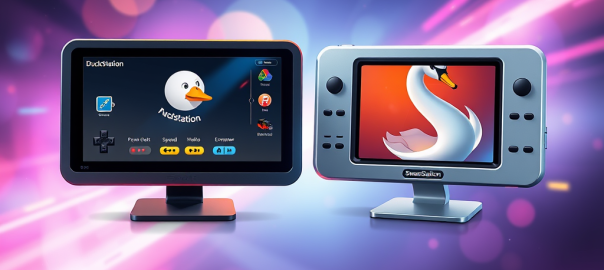
Instead of Duckstation you can also use Swanstation in Retroarch.

A description of the two is below:

🦆 DuckStation

  • Type: Standalone emulator
  • Focus: High compatibility, speed, and long-term maintainability
  • Platform: Available on Windows, Linux, Android, and macOS
  • Features:
    • Modern UI
    • Save states, widescreen hacks, texture filtering
    • Supports achievements (RetroAchievements)
  • Development: Actively maintained by its original developer
  • Best For: Users who want a full-featured, standalone PS1 emulator with a modern interface

🦢 SwanStation

  • Type: Libretro core (used within RetroArch)
  • Origin: Fork of DuckStation, created due to licensing and distribution disagreements
  • Focus: Same as DuckStation—playability and performance—but within the RetroArch ecosystem
  • Features:
    • Nearly identical emulation to DuckStation
    • Integrated into RetroArch’s unified interface
  • Limitations:
    • May lag behind DuckStation in updates
    • Slightly less customizable outside of RetroArch
  • Best For: Users who prefer RetroArch’s all-in-one emulator interface

Ireland’s Housing Market: A Reassessment of Risks in 2025

“Ireland’s housing market in 2025 is not a bubble in the classical sense—but it is a system loaded with powder kegs. A market correction is not just probable—it’s increasingly inevitable if current global trends persist.”

1. Introduction

Ireland’s property market has returned to centre stage in 2025, with home prices soaring beyond the reach of ordinary buyers. While mainstream institutions maintain that the current boom is structurally different from the 2007 bubble, deeper analysis reveals worrying echoes of the past—and several new vulnerabilities.

This report presents a critical re-evaluation of official narratives by combining institutional data, macroeconomic indicators, and emerging global risks. The analysis reflects both established trends and previously underexamined fault lines—including trade exposure, political positioning, debt structure, and the nature of immigration-led demand.


2. Optimism in Current Forecasts

2.1 The Official Story: A Soft Landing

Current institutional analysis:

  • Prices are 17–20% above 2007 peaks, but in nominal (not inflation-adjusted) terms.
  • Lending is tightly regulated, making another crash less likely.
  • Housing supply remains low (~33k new units annually vs ~50k demand), limiting downside risk.
  • Immigration-driven demand was keeping the market buoyant.
  • Most models projected a soft landing or mild correction (‑5% to ‑10%) by 2026–2027.

Position at this point: “Overvalued but not a bubble. Expect a soft or moderate correction.”

2.2 Why This Is Problematic

Such forecasts underplay—or entirely omit—structural vulnerabilities:

  • Fragility of the demand base
  • Shifts in global trade and investor sentiment
  • Overlooked personal debt risks
  • Political frictions with key trading and investment partners

They assume a smooth continuation of post-COVID growth—an assumption increasingly detached from global and domestic realities.


3. Structural Risks Reassessed

3.1 Population Growth and the Migration Illusion

While net migration continues to boost short-term demand, it is increasingly volatile and conditional:

  • Over 100,000 Ukrainian refugees and thousands more economic migrants are not permanent residents—many may leave when wars end or economic conditions deteriorate.
  • A rising tide of Irish nationalism and political discontent may lead to tightening of visa rules or reduced attractiveness.
  • Migration has been urban-renter-heavy, which means a downturn in cities could quickly expose oversupply at the higher end of the rental market.

This mirrors the 2008 reversal, when net migration turned negative as job losses mounted.

3.2 Personal Debt and Financial Fragility

Ireland’s banks are no longer heavily exposed to risky mortgages—but instead have developed a quiet dependence on personal lending:

  • Car loans, credit card balances, holiday loans, and renovation debt have soared.
  • Many households are leveraged against lifestyle consumption, not long-term asset investment.
  • In the event of job losses, especially in higher-income brackets, this could lead to a wave of defaults, credit tightening, and consumer recession.

This debt pattern is under-discussed but could amplify a housing correction, just as mortgage debt did in 2008.


4. External Risks and Global Headwinds

4.1 Trump’s Second Term and Ireland’s Trade Exposure

The return of Trump marks a resumption of trade protectionism:

  • Tariffs on European pharmaceuticals (a pillar of Ireland’s economy) are now likely.
  • Ireland faces retaliation risk from the EU toward American tech giants—the very companies that dominate employment in Dublin and Cork.

As a result, Ireland’s economic foundation—built on tech and pharma FDI—is exposed to political volatility outside its control.

4.2 AI and the Automation Shock

The Irish workforce is highly concentrated in sectors that are:

  • Low-hanging fruit for AI automation (e.g., finance support, customer service, junior programming)
  • Heavily composed of renters and young workers, who form a key demand pillar

As AI displaces or compresses these roles, urban housing demand—particularly rental—could shrink rapidly.

4.3 Geopolitics and Investor Sentiment

Ireland’s vocal positions on the Israel-Palestine conflict, including the attempted disruption of Israel’s bond markety by Irish politicians, may strain ties with the U.S. and major allies. Combined with ongoing Middle East instability (e.g., Israel–Iran conflict), this could:

  • Trigger energy price spikes
  • Deter U.S. FDI into Ireland
  • Increase capital flight from Irish real estate and tech sectors

5. Shock Scenario Forecast (2025–2028)

Based on the convergence of risks, a multi-scenario model was built to forecast likely market responses:

ScenarioDescriptionEstimated Price Drop
Soft LandingGradual slowdown, no major external shocks‑2%
Mild RecessionDomestic slowdown, slower hiring, minor defaults‑8%
Trump Tariff + AI ShockTrade disruption, layoffs in tech/pharma‑15%
Geopolitical CrisisTrade war + Middle East conflict + capital outflows‑25% to ‑30%

These projections are not alarmist—they reflect well-established downside risks based on economic history and emerging geopolitical realities.


6. Conclusion

Ireland’s housing market in 2025 is not a classic speculative bubble. But that doesn’t mean it’s stable. Beneath the surface:

  • Demand is heavily dependent on uncertain migration trends
  • Debt is increasingly consumer-focused and underregulated
  • The economy is highly concentrated in two vulnerable sectors
  • Global political shifts are no longer hypothetical—they’re already happening

The idea that Ireland’s housing prices can continue to rise or even plateau without consequence is increasingly out of touch with the global environment.


Indiana Jones and the Great Circle Review: A Nostalgic Adventure

Indiana Jones and the Great Circle aims to capture the essence of the legendary archaeologist’s adventures, but for fans of the character, it may feel too familiar. While the game succeeds in making its characters feel at home in a navigable Indiana Jones universe, it falls short in providing a consistently engaging gaming experience. In a nutshell, it’s a better movie than game and would have benefited from there being less of it. Still a big recommendation for fans of the franchise.

Exceptional Voice Acting: A Cast That Breathes Life into Adventure

One of the strongest aspects of Indiana Jones and the Great Circle is undoubtedly its voice acting. Troy Baker’s portrayal of Indiana Jones is nothing short of exceptional, a masterful embodiment of the character’s rugged charm, quick wit, and underlying vulnerability. He doesn’t just mimic Harrison Ford; he captures the spirit of Indy, delivering lines with a perfect blend of confidence and world-weariness. Baker’s performance is a key factor in making this game feel like a genuine extension of the Indiana Jones universe.

Beyond Indy, the supporting cast shines as well. Alessandra Mastronardi brings a spirited and independent energy to Gina, reminiscent of Marion Ravenwood, while also imbuing the character with a unique sense of determination and resilience making her a compelling partner for Indy.

Marios Gavrilis delivers a chilling and understated performance as the antagonist, Voss. He avoids cartoonish villainy, instead portraying Voss as a cold, calculating, and genuinely menacing presence. Gavrilis’s subtle vocal inflections and measured delivery create an atmosphere of unease, making Voss a truly memorable and unsettling adversary.

Enrico Colantoni brings warmth and depth to the role of Father Antonio Morelli. Colantoni’s nuanced performance creates a believable and touching mentor-mentee relationship but leaves the audience in a constant state of distrust as to what role he truly plays in the globetrotting adventure.

However, the inclusion of Tony Todd as the character Locus raises questions. While Todd’s distinctive and commanding voice is undeniably captivating, the character feels somewhat extraneous to the core narrative after awhile. Locus’s presence often seems more like a calculated move to include a recognizable actor than a genuinely integrated element that enhances the story. The character’s motivations and contributions sometimes feel vague and underdeveloped, leaving the impression that Locus exists primarily to capitalize on Tony Todd’s star power rather than serve a truly vital narrative purpose. So I can’t help feeling like the character of Locus let Tony Todd down but he, as all great actors do, elevated the character as much as he could.

While the characters themselves might tread familiar archetypes, the quality of the voice acting elevates them beyond simple imitations. This talented cast brings nuance and personality to each role, making them engaging and memorable additions to the Indiana Jones lore. The voice performances alone provide a compelling reason for fans to immerse themselves in this adventure.

The Padded Narrative

One of the most striking issues with Indiana Jones and the Great Circle is its reliance on padding, creating a sense that the game could have been a much tighter and more compelling experience. Certain environments within the game feel underutilized. You might enter a seemingly significant area, perhaps a grand library with tantalizing clues scattered about, but the interaction ends up being minimal, leaving you feeling like a potentially rich puzzle or investigative sequence was cut short. You can almost see where more engaging content was intended, marked by detailed set dressing that never quite serves its intended purpose.

Furthermore, the game often seems aware of its own padding. In a later level, Indy and Gina are forced to spend an inordinate amount of time traveling up and down a river system in a long-tail boat. Indy expresses his jaded frustration with the situation in a conversation with Gina, almost as if directly acknowledging the player’s own boredom, suggesting that they’ll be stuck on this boat “for a while,” with Indy himself even commenting that Gina might as well get used to it. It’s a moment that, while humorous, underscores a core problem: too much time spent traveling with no substantial engagement. These long stretches of boat travel become tedious, lacking in environmental distractions or events to break up the monotony.

Collectathon, Gameplay Mechanics and Story Execution

There seemed to be some debate online as to how to define Indiana Jones and the Great Circle. I would suggest it borrows elements from the likes of Medal of Honor: Frontline and Half-Life 2. Medal of Honor offered a tight, focused, linear first-person shooter experience. Half-Life 2, on the other hand, captivated players with its compelling narrative, innovative physics engine, and challenging environments.

Indiana Jones and the Great Circle attempts to strike a balance somewhere between the two, but the results are mixed.

The game’s reliance on collecting artifacts and items can lead to a frustrating experience, especially when tasks feel more like a chore than a rewarding adventure. This collectathon nature may not appeal to fans who prefer the streamlined, objective-driven gameplay of other action-adventure games. The inclusion of out-of-place gameplay elements disrupts immersion and makes fans of the iconic archaeologist question the game’s authenticity. This problem is compounded by there isn’t a real distinction made to the player between core elements of the story, side missions and mindless collecting. The game massively succeeds in getting the player to want to experience more of Indy’s world. But will taking pictures of cats unlock a new exciting mystery or did I just waste an hour of my life looking for cats to take pictures of. Hint, it’s the latter. The introduction of gameplay elements that don’t fit Indy’s character is a major issue. The game’s world, while visually stunning, often lacks the depth and interactivity that would make exploration, you know Indy’s whole thing, feel meaningful.

Conclusion

While Indiana Jones and the Great Circle effectively captures the essence of its titular hero, it falls short in providing a balanced experience. The game’s faithful representation of characters is overshadowed by frustrating gameplay mechanics and a narrative that overstays its welcome. Fans of classic Indiana Jones adventures will find enjoyment in the nostalgia, but this game doesn’t quite reach the heights of its predecessors.

Suggestions for Improvement:

  1. Tighten the narrative: Focus on essential locations and plot points to create a more engaging storyline.
  2. Revise gameplay mechanics: Remove out-of-place elements and incorporate more immersive experiences.
  3. Enhance player interaction: Encourage players to explore and engage with the environment rather than simply collecting items.
  4. Develop more original characters: Move away from iconic archetypes and create unique characters that feel authentic to the Indiana Jones universe.

By addressing these areas, a potential sequel or follow-up could refine the experience, delivering a game that truly captures the spirit of Indiana Jones and provides an adventure worthy of the legendary archaeologist.

How to fix a noisy GPU fan

If you have an old GPU and you have noticed it is creating more noise now than when it was first installed, it may be because the bearing is no longer sufficiently lubricated.

A new fan off EBay, or new to you, might not be a sound investment. This is true assuming you can even find a replacement. Luckily most GPU fans can be serviced.

To Lubricate the Fan Bearing:

Remove the GPU from your computer.

Spin the fan manually. If it is not mostly silent, then there is a problem with the bearing. More than likely, there is just insufficient lubricant.

Carefully peel back the sticker on the top of the fan to expose the bearing. If access to the bearing is not provided on the top of the fan, then remove the fan from the GPU housing. Peel back the sticker on the back of the fan. If you see a yellowish mark on the inside of the sticker where the bearing is, this confirms the lubricant has leaked somewhat. If access to the bearing is not provided at the bottom of the fan either then very carefully try to remove the blade.

Once the bearing is exposed apply a small drop of light machine oil or sewing machine oil to the bearing. Singer oil is a good choice.

Rotate the fan manually to work the oil into the bearing.

Replace the sticker or use a small piece of tape to cover the bearing.

Before reinstalling the GPU, you might consider also applying fresh thermal paste to the GPU processor. This will help keep temperatures down, giving the fan less work to do.