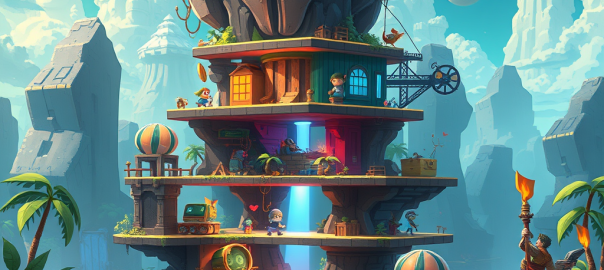
Creating a clean, scalable scene architecture for a 2D game is more than just organizing visuals—it’s about building a system that supports gameplay, UI, effects, and camera logic in a way that’s intuitive and future-proof. In this post, we’ll walk through a layered architecture that separates concerns, supports depth-based gameplay, and keeps your UI crisp and your effects polished.
Whether you’re building a vertical shooter, a platformer, or a retro arcade game, this structure gives you the flexibility to scale without chaos.
🧱 Scene Graph Overview
At the core is root_scene, which contains all visual and logical layers. These layers are organized from background to foreground, with clear roles and transformation rules.
root_scene
├── game_group                            # Camera-controlled gameplay container
│   ├── hidden_group                     # Off-screen/inactive entities (object pooling)
│   ├── background_group                 # Default background layer + depth container
│   │   ├── background_bottom_group      # Farthest background visuals (sky, base)
│   │   ├── background_mid_group         # Parallax mid-layers, distant FX
│   │   ├── background_top_group         # Closest background visuals
│   ├── objects_group                    # Default gameplay layer + depth container
│   │   ├── objects_depth_bottom_group   # Farthest gameplay entities
│   │   ├── objects_depth_mid_group      # Primary gameplay layer (player, pickups)
│   │   ├── objects_depth_top_group      # Foreground gameplay entities
│   ├── foreground_group                 # Foreground visuals + depth container
│   │   ├── foreground_bottom_group      # Farthest foreground elements
│   │   ├── foreground_mid_group         # Mid-range foreground visuals
│   │   ├── foreground_top_group         # Closest foreground overlays
│   ├── visual_fx_group                  # Explosions, particles, transient visuals
│
├── hud_group                            # Score, gauges, indicators (screen-anchored)
├── menu_group                           # Title screen, credits (non-blocking UI)
├── modal_group                          # Pause, game over, dialogs (blocking overlays)
├── debug_group                          # Dev-only overlays, performance HUD
├── screen_fx_group                      # CRT shader, bloom, vignette (post-processing)
🧠 Layer Roles & Camera Behavior
Each layer has a defined purpose and relationship with the camera. Gameplay and visual layers move with the camera, while UI and post-processing layers remain fixed or apply globally. Note that background and foreground groups can also be used in menu layers along with menu group.
| Layer | Purpose | Transforms with Camera |
|---|---|---|
game_group | Master container for gameplay layers | ✅ Yes |
hidden_group | Object pooling, inactive/off-screen entities | ✅ Yes |
background_group | Default background layer | ✅ Yes |
background_bottom_group | Farthest background visuals (sky, base) | ✅ Yes |
background_mid_group | Parallax mid-layers, distant FX | ✅ Yes |
background_top_group | Closest background visuals | ✅ Yes |
objects_group | Default gameplay layer | ✅ Yes |
objects_depth_bottom_group | Farthest gameplay entities | ✅ Yes |
objects_depth_mid_group | Core gameplay layer (player, enemies, pickups) | ✅ Yes |
objects_depth_top_group | Foreground gameplay entities | ✅ Yes |
foreground_group | Default foreground layer | ✅ Yes |
foreground_bottom_group | Farthest foreground visuals | ✅ Yes |
foreground_mid_group | Mid-range foreground visuals | ✅ Yes |
foreground_top_group | Closest foreground overlays | ✅ Yes |
visual_fx_group | Explosions, particles, screen shake | ✅ Yes |
hud_group | Score, gauges, indicators | ❌ No |
menu_group | Title screen, credits | ❌ No |
modal_group | Pause, game over, dialogs | ❌ No |
debug_group | Dev overlays, performance HUD | ❌ No |
screen_fx_group | Post-processing shaders (CRT, bloom, vignette) | ❌ No (global) |
🧰 API Naming Conventions
To keep things clean and predictable, each layer has dedicated adders and getters. This ensures encapsulation and avoids direct manipulation of scene graph internals.
🔧 Adders
python

add_to_hidden_group(obj)
add_to_background_group(obj)
add_to_background_bottom_group(obj)
add_to_background_mid_group(obj)
add_to_background_top_group(obj)

add_to_objects_group(obj)
add_to_objects_depth_bottom_group(obj)
add_to_objects_depth_mid_group(obj)
add_to_objects_depth_top_group(obj)

add_to_foreground_group(obj)
add_to_foreground_bottom_group(obj)
add_to_foreground_mid_group(obj)
add_to_foreground_top_group(obj)

add_to_visual_fx_group(obj)
add_to_hud_group(obj)
add_to_menu_group(obj)
add_to_modal_group(obj)
add_to_debug_group(obj)
add_to_screen_fx_group(obj)
🔍 Getters
python

get_hidden_group()
get_background_group()
get_background_bottom_group()
get_background_mid_group()
get_background_top_group()

get_objects_group()
get_objects_depth_bottom_group()
get_objects_depth_mid_group()
get_objects_depth_top_group()

get_foreground_group()
get_foreground_bottom_group()
get_foreground_mid_group()
get_foreground_top_group()

get_visual_fx_group()
get_hud_group()
get_menu_group()
get_modal_group()
get_debug_group()
get_screen_fx_group()
📏 Ownership & Layering Rules
To maintain clarity and prevent misuse, each type of entity has a designated home:
- Gameplay entities →
objects_groupor one of its depth layers - Background visuals →
background_groupor its depth layers - Foreground visuals →
foreground_groupor its depth layers - HUD elements →
hud_group - Menus →
menu_group - Blocking overlays →
modal_group - Debug tools →
debug_grouponly - Visual effects →
visual_fx_group - Post-processing shaders →
screen_fx_group - Camera transformations → applied only to
game_groupand its children
🚫 Layering Constraints
To avoid rendering chaos and maintain performance:
- ❌ No
toFront()calls in gameplay layers - ✅ UI systems may adjust local order within their own group
- ✅ Depth layers maintain internal z-ordering
✅ Benefits of This Architecture
- Clear separation of concerns: Each layer has a distinct visual and logical role
- Scalable and maintainable: Easy to audit, extend, and debug
- Camera-friendly:
game_groupisolates gameplay transformations from UI - Depth flexibility:
objects_group,background_group, andforeground_groupsupport layered interactions - UI integrity: HUD and modals remain crisp and unaffected by zoom/shake
- Post-processing polish:
screen_fx_groupapplies final visual effects globally
🧪 Final Thoughts
This architecture isn’t just a technical blueprint—it’s a philosophy of clarity. By separating gameplay, background, foreground, UI, and effects into well-defined layers, you empower your team to build faster, debug smarter, and scale confidently.
If you’re working on a game and want help adapting this structure to your engine or genre, I’d love to collaborate. Let’s build something beautiful.
 Tidbytez