Pro Evolution Soccer 6 (PES 6), released by Konami in late 2006, remains one of the most celebrated football simulations ever made. Praised for its fluid passing, intelligent AI, and satisfying set-pieces, PES 6 struck a perfect balance between realism and arcade-style fun. Its controls were intuitive yet deep, rewarding both quick reflexes and tactical foresight.
What truly set PES 6 apart was its enduring fan community. Even nearly two decades on, unofficial patches add up-to-date squads, new kits, and stadiums. Modders have created complete overhauls—from modern leagues to women’s football—keeping the engine alive long after official support ended. For many players, firing up PES 6 feels like revisiting a golden era of gaming.
Below is a look at some players who were in their teens or early twenties in PES 6 and are still active at top clubs in 2025. They represent the bridge between that classic era and today’s game.
Player
Age in PES 6 (2006)
Current Age (2025)
Position (PES 6 Era)
PES 6 Team (2006)
Current Club (2025)
EA FC 26 Rating
Lionel Messi
19
38
Attacking Midfielder / Right Winger
Barcelona
Inter Miami (USA)
86
Cristiano Ronaldo
21
40
Left Winger / Forward
Manchester United
Al Nassr (Saudi Arabia)
85
Karim Benzema
19
37
Striker
Olympique Lyonnais
Al Ittihad (Saudi Pro League)
85
Luka Modrić
20
39
Central Midfielder
Dinamo Zagreb
Real Madrid (Spain)
85
Edin Džeko
20
39
Striker
FK Teplice
Fiorentina (Italy)
84
Ángel Di María
18
37
Winger / Attacking Midfielder
Rosario Central
Rosario Central (Argentina)
82
Sergio Ramos
20
39
Centre-Back / Right-Back
Sevilla
Monterrey (Liga MX)
81
Raúl Albiol
20
39
Centre-Back / Defensive Midfielder
Real Madrid
Villarreal CF (Spain)
80
Santi Cazorla
21
40
Central Midfielder / AM
Villarreal CF
Real Oviedo (Spain)
75
Javier Hernández
18
37
Striker
Guadalajara (Chivas)
Guadalajara (Chivas)
74
Remko Pasveer
22
42
Goalkeeper
De Graafschap
Ajax (Netherlands)
74
Roque Santa Cruz
24
43
Striker
Bayern Munich
Libertad (Paraguay)
69
If we pick an all-star XI from our PES 6 veterans and average their EA FC 26 ratings, we land on an 82 overall:
– GK Remko Pasveer (74) – RB Sergio Ramos (81) – CB Raúl Albiol (80) – LB Santi Cazorla (75) – CM Luka Modrić (85) – CM Ángel Di María (82) – RW Lionel Messi (86) – LW Javier Hernández (74) – CF Karim Benzema (85) – CF Cristiano Ronaldo (85) – CF Edin Džeko (84)
Compare that to the current top team in EA FC 26 (e.g. Manchester City), whose starting XI averages around 86. Our veterans side sits about four points adrift of today’s elite—but remain competitive enough to beat most squads in a head-to-head.
Nearly twenty years after its release, the fact that PES 6’s rising stars still command top-flight ratings shows the enduring magic of both the game and its legends: the longevity of the game is reflected by the players.
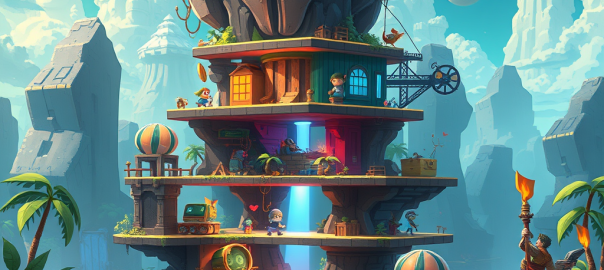
Creating a clean, scalable scene architecture for a 2D game is more than just organizing visuals—it’s about building a system that supports gameplay, UI, effects, and camera logic in a way that’s intuitive and future-proof. In this post, we’ll walk through a layered architecture that separates concerns, supports depth-based gameplay, and keeps your UI crisp and your effects polished.
Whether you’re building a vertical shooter, a platformer, or a retro arcade game, this structure gives you the flexibility to scale without chaos.
🧱 Scene Graph Overview
At the core is root_scene, which contains all visual and logical layers. These layers are organized from background to foreground, with clear roles and transformation rules.
Each layer has a defined purpose and relationship with the camera. Gameplay and visual layers move with the camera, while UI and post-processing layers remain fixed or apply globally. Note that background and foreground groups can also be used in menu layers along with menu group.
Layer
Purpose
Transforms with Camera
game_group
Master container for gameplay layers
✅ Yes
hidden_group
Object pooling, inactive/off-screen entities
✅ Yes
background_group
Default background layer
✅ Yes
background_bottom_group
Farthest background visuals (sky, base)
✅ Yes
background_mid_group
Parallax mid-layers, distant FX
✅ Yes
background_top_group
Closest background visuals
✅ Yes
objects_group
Default gameplay layer
✅ Yes
objects_depth_bottom_group
Farthest gameplay entities
✅ Yes
objects_depth_mid_group
Core gameplay layer (player, enemies, pickups)
✅ Yes
objects_depth_top_group
Foreground gameplay entities
✅ Yes
foreground_group
Default foreground layer
✅ Yes
foreground_bottom_group
Farthest foreground visuals
✅ Yes
foreground_mid_group
Mid-range foreground visuals
✅ Yes
foreground_top_group
Closest foreground overlays
✅ Yes
visual_fx_group
Explosions, particles, screen shake
✅ Yes
hud_group
Score, gauges, indicators
❌ No
menu_group
Title screen, credits
❌ No
modal_group
Pause, game over, dialogs
❌ No
debug_group
Dev overlays, performance HUD
❌ No
screen_fx_group
Post-processing shaders (CRT, bloom, vignette)
❌ No (global)
🧰 API Naming Conventions
To keep things clean and predictable, each layer has dedicated adders and getters. This ensures encapsulation and avoids direct manipulation of scene graph internals.
To maintain clarity and prevent misuse, each type of entity has a designated home:
Gameplay entities → objects_group or one of its depth layers
Background visuals → background_group or its depth layers
Foreground visuals → foreground_group or its depth layers
HUD elements → hud_group
Menus → menu_group
Blocking overlays → modal_group
Debug tools → debug_group only
Visual effects → visual_fx_group
Post-processing shaders → screen_fx_group
Camera transformations → applied only to game_group and its children
🚫 Layering Constraints
To avoid rendering chaos and maintain performance:
❌ No toFront() calls in gameplay layers
✅ UI systems may adjust local order within their own group
✅ Depth layers maintain internal z-ordering
✅ Benefits of This Architecture
Clear separation of concerns: Each layer has a distinct visual and logical role
Scalable and maintainable: Easy to audit, extend, and debug
Camera-friendly: game_group isolates gameplay transformations from UI
Depth flexibility: objects_group, background_group, and foreground_group support layered interactions
UI integrity: HUD and modals remain crisp and unaffected by zoom/shake
Post-processing polish: screen_fx_group applies final visual effects globally
🧪 Final Thoughts
This architecture isn’t just a technical blueprint—it’s a philosophy of clarity. By separating gameplay, background, foreground, UI, and effects into well-defined layers, you empower your team to build faster, debug smarter, and scale confidently.
If you’re working on a game and want help adapting this structure to your engine or genre, I’d love to collaborate. Let’s build something beautiful.

 Tidbytez